
From the blog
Businesses in ChatGPT: profiles, insights and agents explained
OpenAI launched Businesses in ChatGPT in beta on 10 November 2026. It's the offering I wrote about when the early reports appeared, and it has three main parts:
- Business profiles — supply and maintain information about the business.
- Insights — see mentions, website clicks and the topics people discover it through.
- Business Agents — let people ask questions in an optional chat representing the business.
Business Hub is where you manage these. Profiles and insights are available to eligible businesses after verification; agents have extra requirements. You can use the profile and reporting without publishing an agent.
If you run a business or help look after one, the sections below explain what each part does and where I'd start. This is separate from ChatGPT Business, the workplace subscription, despite the very similar name.
Business profiles: provide your details
This is the starting point. Through Business Hub, an eligible business can claim and verify its profile, then maintain its details. Retailers can also supply product feeds with prices and availability.
I'd check that the information matches the website: what the business offers, where it operates, how to get in touch and any relevant policies. If something is outdated or unclear on the website, I'd fix that at the same time.
Check eligibility first
OpenAI's setup guide says availability depends on location, business type and supported verification. Local shops and restaurants can currently claim only existing US listings. I'd check the options offered for your business before planning a setup.
Insights: see how people find you
This is the reporting part of Business Hub. OpenAI's announcement describes aggregate mentions, website clicks and discovery topics. Privacy thresholds apply, and businesses don't receive people's conversations.
The reporting interests me most. I'd like to know whether people are finding a business in ChatGPT and clicking through to its website, rather than having to guess.
According to the setup guide, insights cover 28 days. Online mentions count website references, not a brand name alone; local mentions count location results. Discovery topics aren't individual prompts, and blank figures don't necessarily mean zero activity.
I'd compare those figures with website visits and actual enquiries or sales. If mentions increase, that's interesting, but I'd want to know whether the people arriving are looking for something the business actually offers.
If enquiries are repeatedly for something you don't offer, I'd check the wording on your website and profile. If they're relevant, I'd look at which pages people are using and whether those pages answer their questions.
I'd also note when I change a service page, price or profile detail. That would help with reviewing the figures later, although a change in traffic wouldn't prove that a particular edit caused it.
Business Agents: answer customer questions
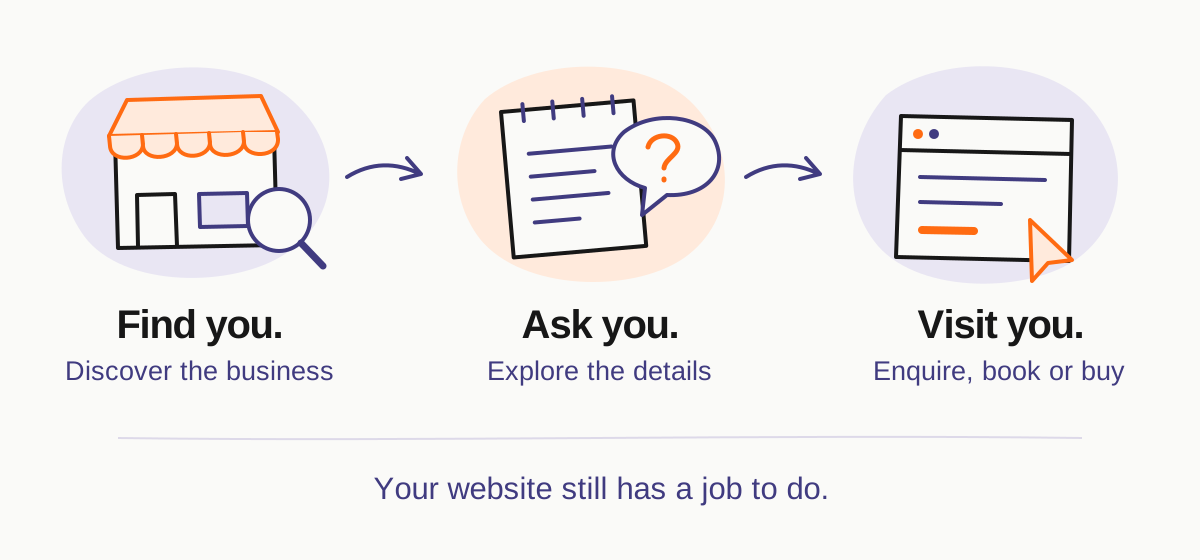
This is the optional chat feature. People can choose to ask questions about your offering in a conversation labelled as representing your business, separate from ChatGPT's own answer. At launch, it's available to eligible ecommerce and online service businesses in the US.
An agent can answer questions and link to your website, but can't complete purchases, bookings or order checks. Customers still need your usual checkout, booking or support process for those.
I'd start by giving it the information people normally ask for: what's included, prices, extra costs, where the business operates and how to contact someone if they need help.
For example, I'd ask “What's included in the price?” and check the answer against the business's actual offer. I'd also ask about a service it doesn't provide to make sure it doesn't invent one.
OpenAI's Business Agents Policy requires accurate information and prohibits invented prices, availability, qualifications and guarantees. Verification alone doesn't establish agent eligibility. I'd check the answers before making an agent available to customers.
Where I'd start
Access and verification. Start with OpenAI's official Business Hub page. The setup guide requires claim approval and Persona identity verification before publishing profile changes or viewing insights.
Start with the profile and insights. I'd get the business details right, then use the reporting to see what activity is showing up. An agent is a separate decision, depending on eligibility and whether it would help with questions customers actually ask.
Who will keep it updated. OpenAI's business-profile policy requires accurate, maintained information. When a price or service changes, the profile needs checking alongside the website.
What to expect. OpenAI says claiming a business doesn't guarantee higher placement or sales. ChatGPT makes its own recommendations. I'd judge the setup by whether it helps people find accurate information and brings in relevant enquiries.
Who should manage it?
OpenAI's guide supports teammate and agency invitations, with workspace restrictions. I'd keep control with the business and invite anyone helping with the setup through their own account.
After setup
Once it's running, I'd check the details whenever something changes in the business and review whether it's bringing in relevant enquiries. That would help decide whether it's worth spending more time or money on.
If you'd like help checking whether it suits your business, or getting your website ready for people finding you through ChatGPT, send me a message.
Keep exploring